Help Getting started
Signing in
How to sign in with your address, password and authenticator code, or with a passkey, and what to do when it does not work.
Updated · Edwards Consulting Group
Signing in starts on Tiermark's own sign-in page, which asks for your work email address. Your password and authenticator code, or your passkey, come next on Tiermark's secure sign-in page, with your address already filled in. Every account uses a second factor: there is no way to sign in with a password alone.
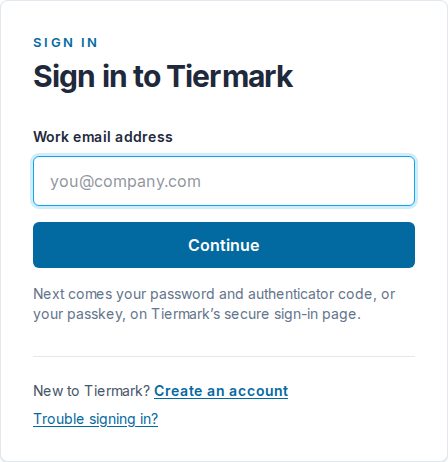
With a password and an authenticator app
- Go to tiermark.io and choose Sign in.
- Enter your work email address and choose Continue.
- On the secure sign-in page your address is already filled in. Choose Next.
- Enter your password.
- Enter the six-digit code from your authenticator app (Google Authenticator, Microsoft Authenticator, 1Password and the like).
The first time you sign in, you set your password and add Tiermark to your authenticator app by scanning the code on the screen.
With a passkey
If you added a passkey, the secure sign-in page offers it after your address: your device signs you in with your fingerprint, face or screen lock instead of a password and a code.
Getting an account
Accounts are being opened by request while Tiermark onboards its first customers. Write to help@tiermark.io from your work address and say which company you are with. If a customer sent you a request, its link shows you what they asked without an account; to answer it, write to us the same way and mention the request.
When signing in does not work
- It asks for a passkey you never made. This usually means there is no account at the address you typed. Check the spelling, or write to us.
- You forgot your password. Choose Forgot your password? on the password page; a code to reset it goes to your email address.
- You lost your authenticator. Write to help@tiermark.io from your account's address. For your security, a person checks the request before anything about the account changes.
- "Sign-in did not complete." Try again from the start. If it keeps happening, write to us and say what you saw.
Still have a question?
Write to help@tiermark.io and a person will answer.