Help Getting started
Verifying your organization
Before Tiermark shows anything about a company, it confirms that you represent it. Usually this takes no time at all.
Updated · Edwards Consulting Group
Tiermark only shows a company's records, and only lets you answer or send on its behalf, once it has confirmed that you represent that company. There are three ways it happens.
1. Automatically, by your address
If your sign-in address is on the website SAM.gov lists for the company, for example you sign in as pat@example.com and SAM.gov lists example.com, you are verified the moment you set up your organization.
2. With a one-time code
If your sign-in address is somewhere else, Tiermark can mail a one-time code to an address at the company's SAM.gov website. Enter an address there and choose Send me a code; then type the code from that message into the Code box and choose Verify. A code expires thirty minutes after it is sent, and Use a different address starts again.
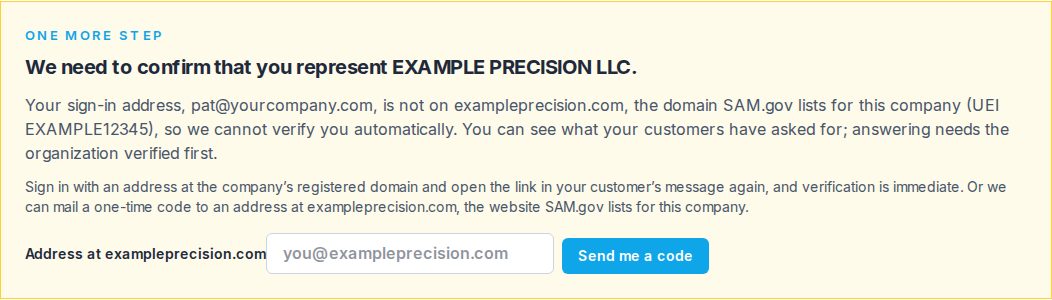
You can ask for up to three codes to the same address in a day.
3. By hand
If SAM.gov lists no website for the company, or nobody can receive mail there, a person at Tiermark confirms it with you. Write to help@tiermark.io from your sign-in address and say which company and UEI it is.
While you wait
You can see what your customers have asked of the company, but answering, signing and everything else open once the organization is verified. If you came from a customer's message, open its link again after you are verified and you will be taken straight to the request.
Still have a question?
Write to help@tiermark.io and a person will answer.