See the product
Take a look inside Tiermark
Real screens, in the order you will use them. The companies shown are fictional.
Step 1
Map your supply chain
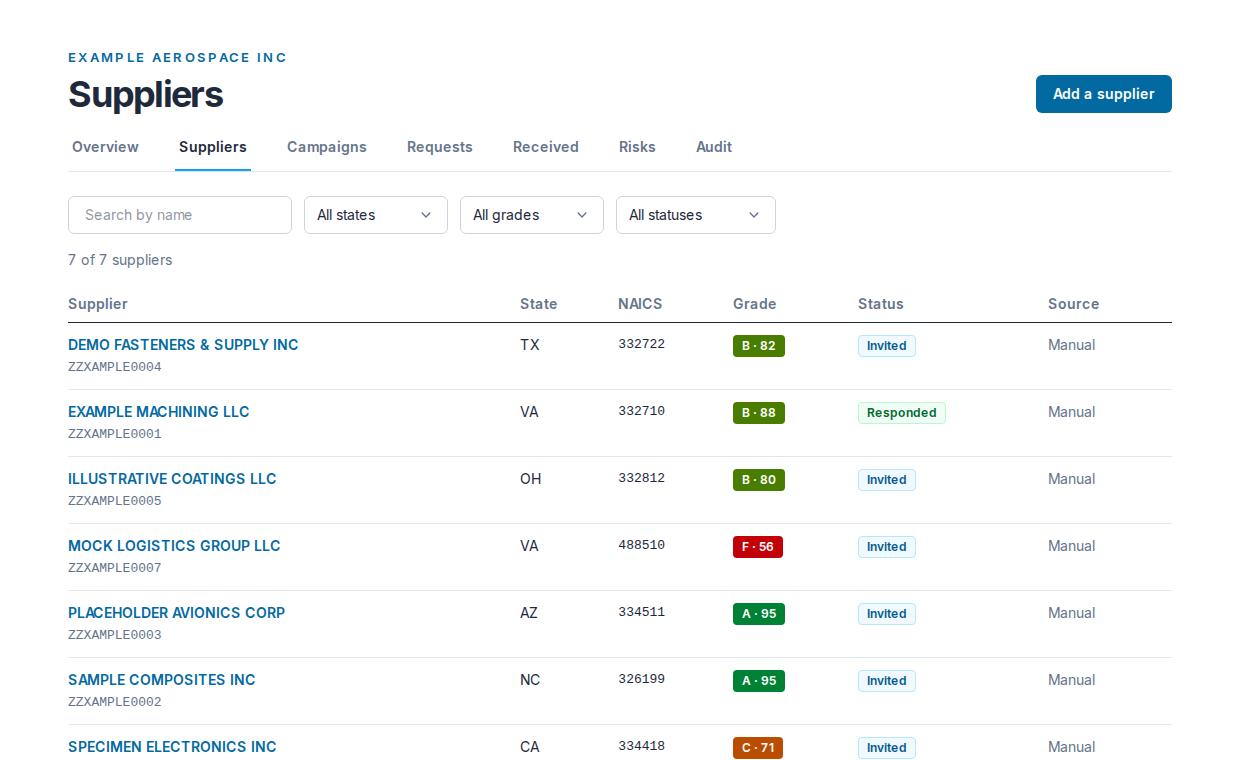
See every supplier on your map with its UEI, NAICS code, grade and request status. Open one to see the findings behind its grade.
Open full-size image · Your supplier map in the help center
Step 2
Collect signed answers
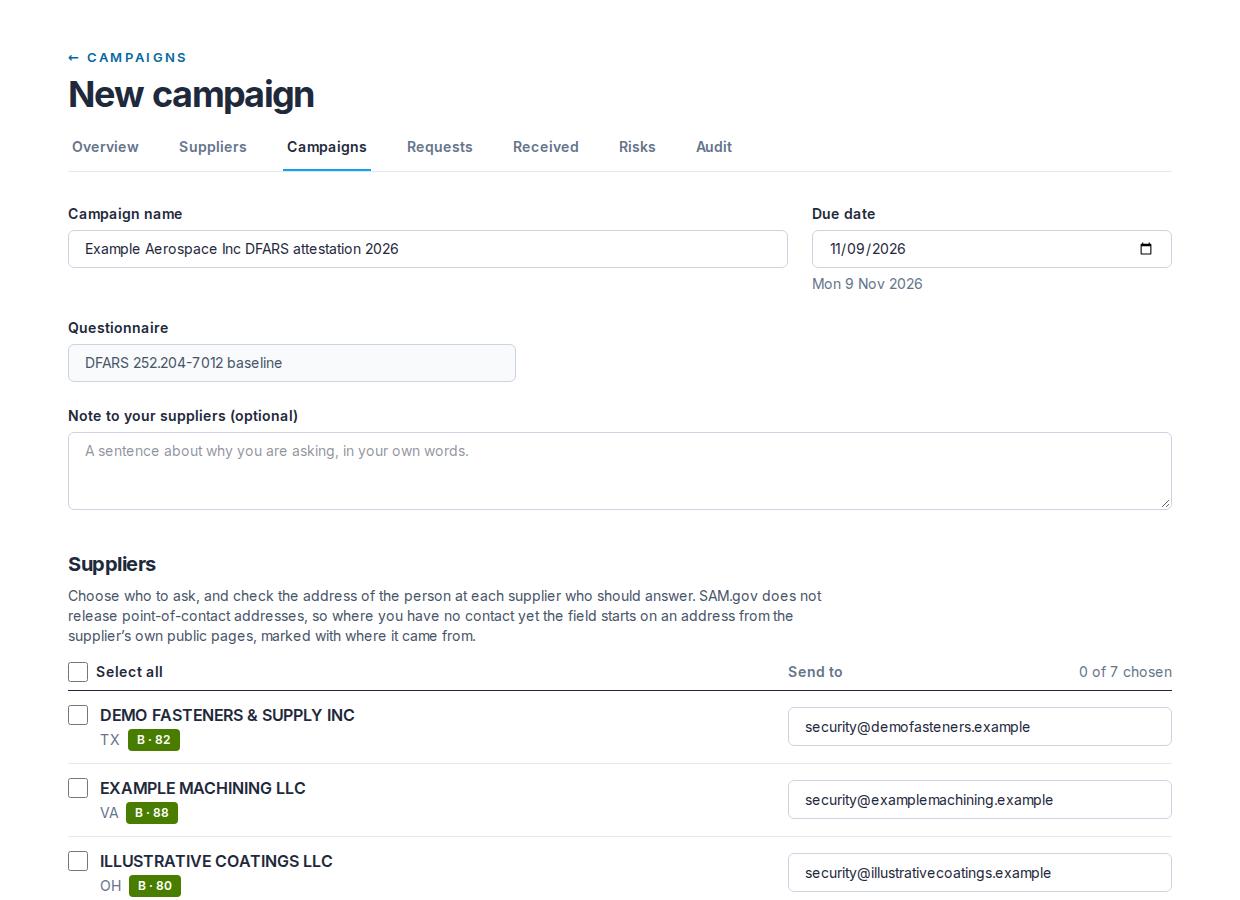
Pick a due date and the suppliers to ask. Tiermark sends the invitations and follows up with reminders.
Open full-size image · Campaigns in the help center
Step 3
Stay on top of risks
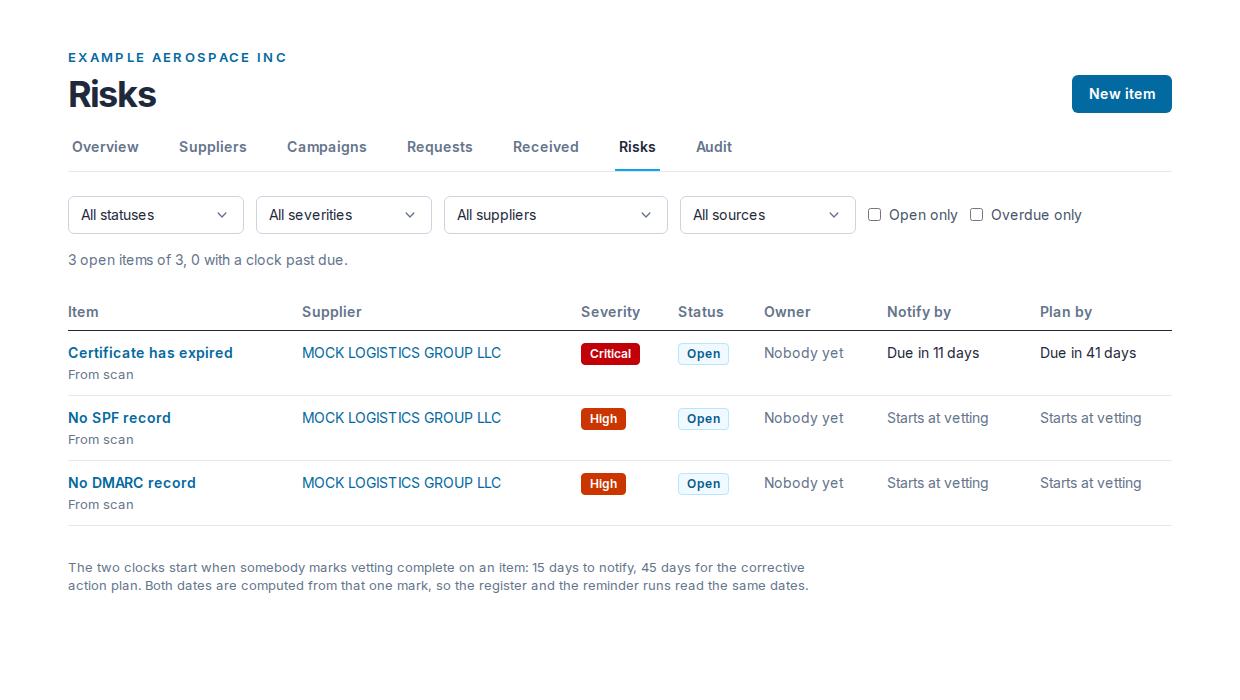
Give every item a severity and an owner. Its two clocks start the moment you mark vetting complete.
Open full-size image · The risk register in the help center
Step 4
Be ready when they ask
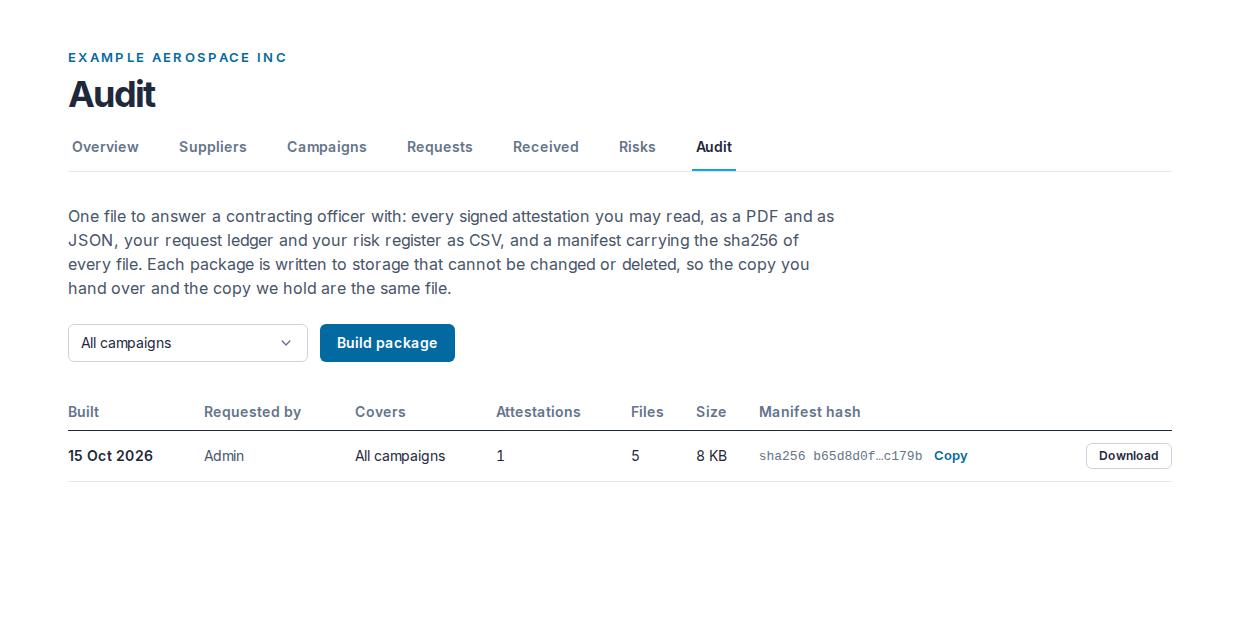
Build one file with the signed answers, your request ledger and your risk register. It is kept in object-locked storage and checked before every download.
Open full-size image · Audit packages in the help center
The supplier's side
Free for your suppliers
Your suppliers see who is asking and when it is due. Answering and signing cost them nothing, and they can share signed answers with another customer that asks for the same questionnaire version.
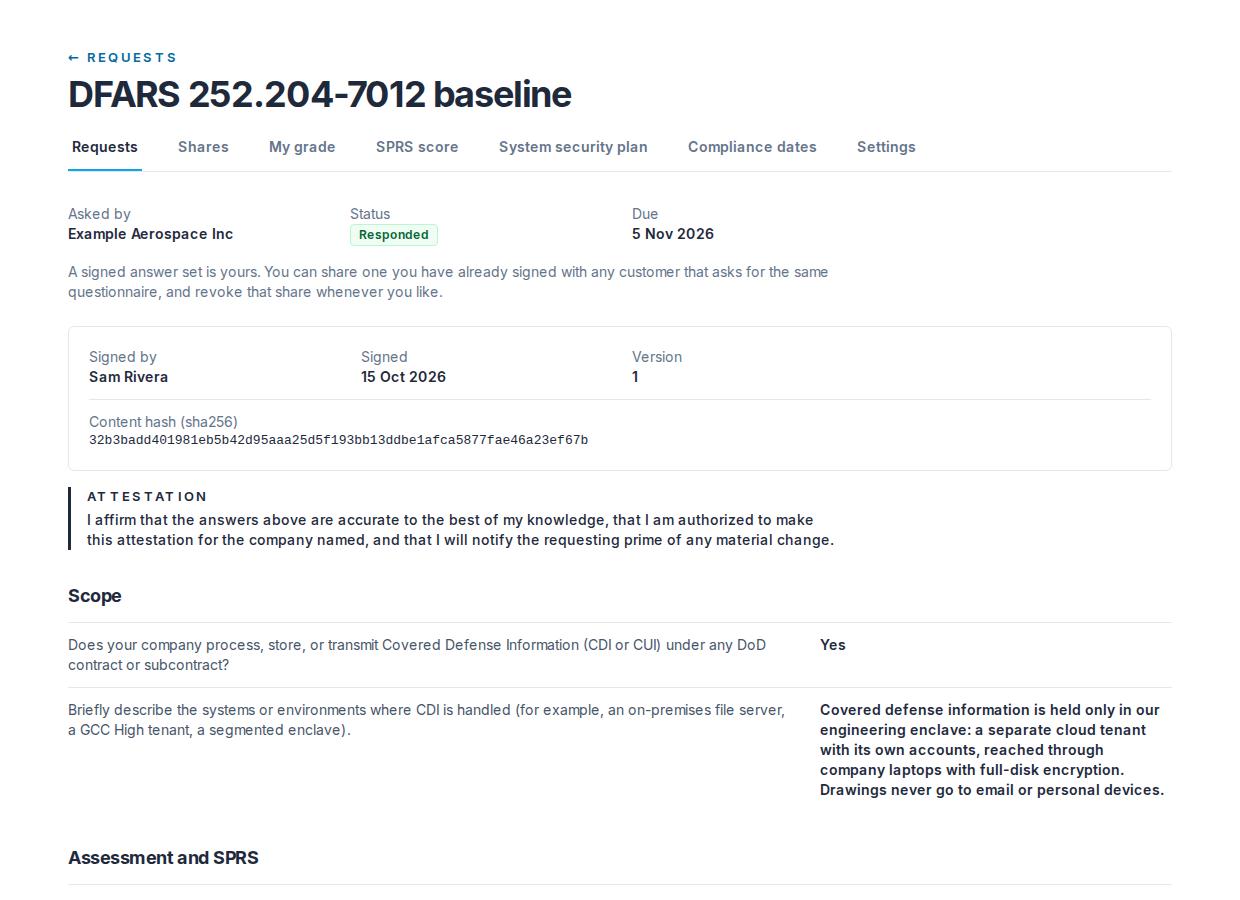
Open full-size image · Answering a request in the help center