Help For suppliers
Re-checking your grade
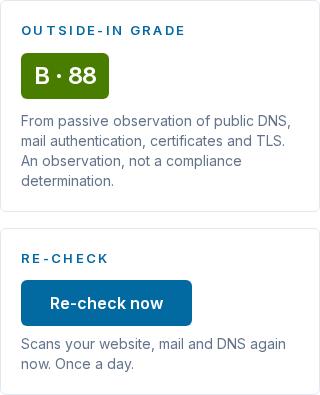
With Supplier Pro, Re-check now scans your website, mail and DNS again, once a day, so a fix shows in your grade the same day.
Updated · Edwards Consulting Group
You have fixed a finding and want your grade to show it. With Supplier Pro, Re-check now on My grade scans your company again, straight away.
How to re-check
- Open My grade in your supplier console.
- In the Re-check panel, choose Re-check now.
- The panel says "Checking now". A scan usually takes about two minutes, and the page updates by itself when it is done, with the new grade and findings.
Good to know
- Once in 24 hours for your organization. After a re-check, the panel says when the next one is available.
- Your own company only: the one your organization is verified for. A re-check scans the website your SAM.gov registration lists.
- The scan is fresh. It looks at your records as they are now, not at an earlier scan.
- Primes see the new grade too. It is the same grade every prime with your company on its map sees.
- Only an admin or a contracts manager can start one. Everyone in your organization sees the result.
- If a scan is already running (a prime may have just added your company), the panel says so, and your day's re-check is not used.
- If it could not be started, the panel says so and nothing is used up: try again in a few minutes.
Before you re-check
DNS changes can take up to a day to be seen everywhere. If the fix was a DNS record, giving it an hour or two first makes it likelier the re-check sees it.
See Your grade and how to fix what it found for what each finding means.
Still have a question?
Write to help@tiermark.io and a person will answer.