Help For suppliers
Your public company page
Every company Tiermark has looked up has a public page with its SAM.gov header, grade and findings. Remove yours from the directory, bring it back, or claim it.
Updated · Edwards Consulting Group
Tiermark publishes a page for each company it holds, at /company/ followed by the company's UEI. Your Settings tab has an Organization card (your company's name, UEI, CAGE, verification status and your role; to correct any of them, write to help@tiermark.io) and under it a Public directory card with the link view your public profile. A company with no UEI on file has no public page, and the card says so.
What the page shows
- From the SAM.gov registration: the legal name, UEI, CAGE, location, NAICS codes and website domain.
- The outside-in grade: the letter and score, from passive observation of public DNS, mail authentication, certificates and TLS. An observation, not a compliance determination.
- The findings: each published finding's title, severity and the date it was observed. The evidence behind a finding is not shown; it goes to the company itself, on My grade, once it has claimed its page. See Your grade and how to fix what it found.
- Whether the company is on Tiermark, and if not, an invitation to claim it.
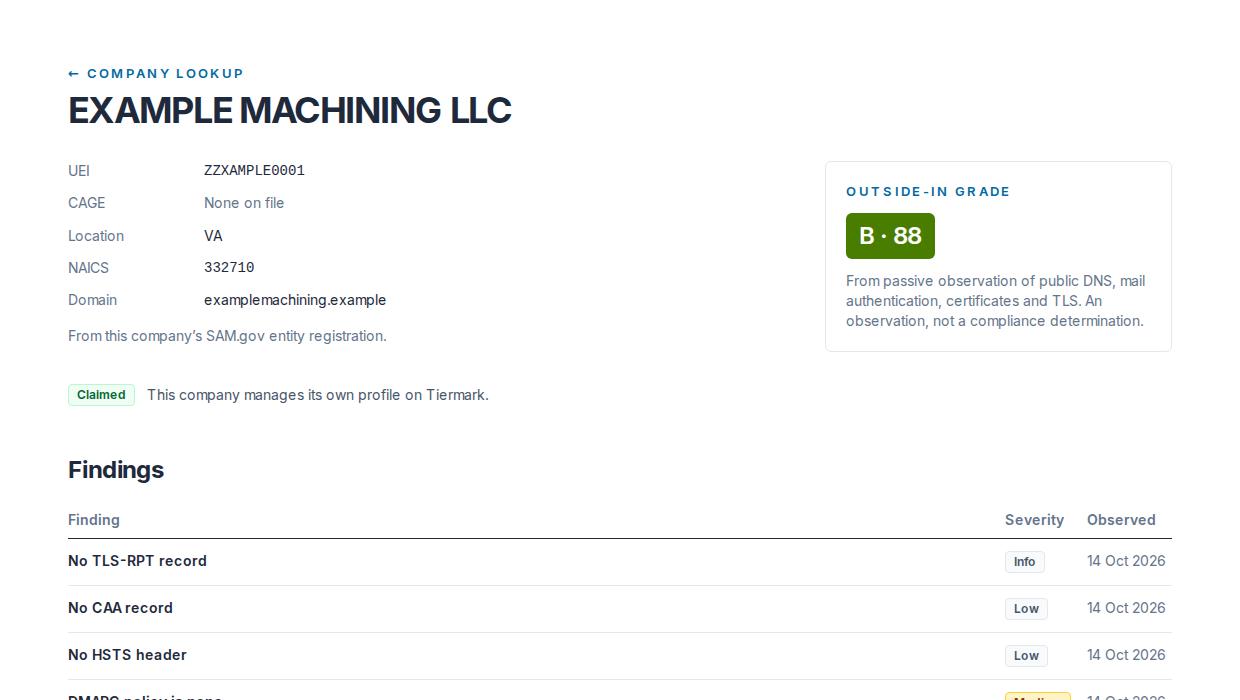
While a profile is being built from the public record the page says so and refreshes itself until the grade arrives. Nothing from the company's exposure report (its customers, its own suppliers, what it was paid) is on the public page.
The pages are not indexed by search engines.
Removing your company from the directory
In Settings, under Public directory, press Remove my company from the public directory and confirm.
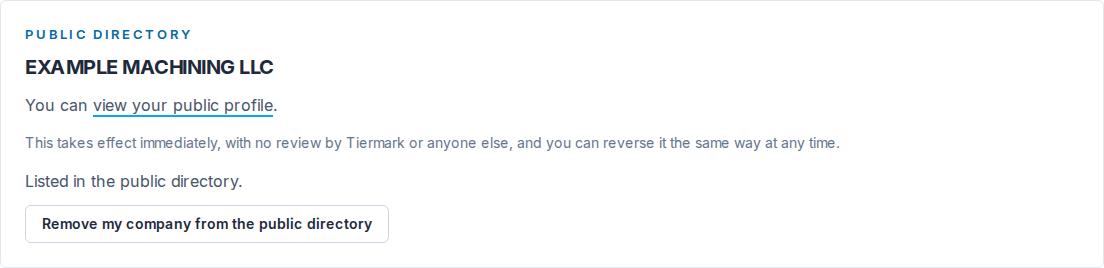
- Who: an admin on a verified organization. A contracts manager or a viewer sees the listing status and cannot change it, and so does an admin whose organization is not yet verified.
- Immediate. Nobody at Tiermark reviews it. The change is recorded in your audit log.
- What the page then shows: "Not listed", the UEI, and that the company has asked not to be listed in the Tiermark directory. Nothing else about it is shown there.
Removal changes the public page only. Primes that have your company on their map still see its grade and findings in their console, and your customers still read the answers you signed for them.
Returning it
The same place: Return my company to the public directory. It is immediate, and recorded.
Claiming an unclaimed company
If your company's page says Is this your company? Claim it, nobody has set up an organization for it yet. Press Claim this company: it opens the onboarding form with the UEI filled in, and you go through the usual setup and verification. Claiming is free. Once your organization is set up, you see the full report behind the grade with every finding and its evidence, and you can answer a customer's attestation request once and share the answers with every customer that asks.
A company that wants to be removed from the directory claims itself first, then chooses removal in Settings. Anyone else can ask at help@tiermark.io.
Still have a question?
Write to help@tiermark.io and a person will answer.